 09-15-2010, 06:51 AM |
#15 | |||
|
Checking out, and taking Magical Express back to MCO
 
Join Date: Feb 2010
Location: Lima, Peru
Software: CS5
Camera: Canon
Posts: 8,246
|
Well, most of the time when using a template you already have the shape, so you just need the text, so in step 3 i choose shape tool, then on top left of the bar choose the middle image, the one with the pen, then I make my shape and just write along or inside the shape, i don´t go to paths. When you are done you can resize or rotate, whatever you need.
There is another tutorial of text in a shape ( creating your own shape eg a mickey mouse head) it´s by Laurie Scraps, I started that thread and she very kindly explained it to me and then put the tut on her forum and her blog, it might be interesting for you. Here´s the page I did with that tut: 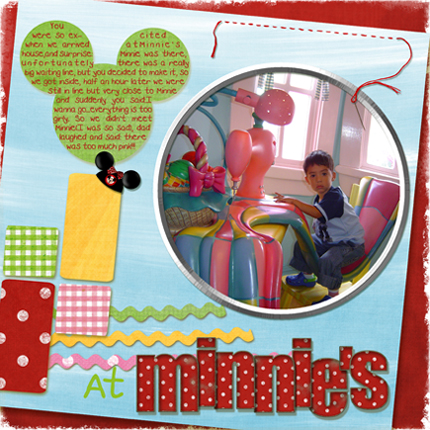 Here is the thread, from there you can go to her forum or to blog: http://mousescrappers.com/forums/showthread.php?t=4656 
__________________


|
|||

|

|
|||
| Tags |
| text along path |
| Thread Tools | |
| Display Modes | |
|
|
 Sponsored links |
|


 Threaded Mode
