|
|
 09-01-2012, 07:07 AM |
#1 | |||
|
In the Tiki, Tiki, Tiki, Tiki, Tiki Room

Join Date: Mar 2011
Location: Texas
Software: The Project Life App or PSE 18
Camera: iPhone XR or Canon EOS Rebel T3
Posts: 154
|
How about a tutorial on how to make a signature? I still haven't figured that out....

__________________
~Jenna CT for Sahlin Studio 2018-present Disney World: 1989~2007~2008~2010~2014~2015~2016~2017~2018~2019~ 2020 Disneyland Paris: 2017 


|
|||

|

|
|||
| Sponsored Links |
|
09-01-2012, 01:12 PM
|
#2 | |||
|
Stopping for lunch at Liberty Tree Tavern

Join Date: Apr 2009
Location: Kokomo, IN
Software: PS CS6
Camera: Kodak P&S
Posts: 1,107
|
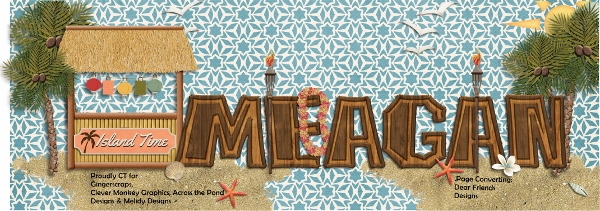
For a signature I start with a canvas of 3600x1800. create my "layout" and include my name. I crop the image to eliminate extra unused space. Then I merge and resize to about 500 width and save for web. If I do not use a background, I save as a png to get the transparency, otherwise save as a jpg.
Upload your sig to an image hosting site like photobucket and add it to your sig under User CP on the forums you visit. 


|
|||
|
|
|
|||
|
09-01-2012, 01:57 PM
|
#3 | |||
|
Administrator
 
Join Date: Mar 2009
Location: So Cal
Software: PSE 7
Camera: Nikon D50
Posts: 5,531
|
Just be sure the height is 200px or less, please
 Thanks!
__________________
Travel agent specializing in Disney Destinations Magical Vacations, LLC  Studio1955 


|
|||
|
|
|
|||
|
09-01-2012, 02:28 PM
|
#4 | |||
|
In the Tiki, Tiki, Tiki, Tiki, Tiki Room
Join Date: Mar 2011
Location: Texas
Software: The Project Life App or PSE 18
Camera: iPhone XR or Canon EOS Rebel T3
Posts: 154
|
Thanks Carol and Fran! I'll give it a try soon.
__________________
~Jenna CT for Sahlin Studio 2018-present Disney World: 1989~2007~2008~2010~2014~2015~2016~2017~2018~2019~ 2020 Disneyland Paris: 2017
|
|||
|
|
|
|||
|
10-10-2012, 08:17 AM
|
#5 | |||
|
Enjoying an Illuminations dessert party

Join Date: Aug 2011
Location: California
Software: Creative Memories Storybook Creator
Camera: Nikon D3000, Canon PowerShot SD4000 IS, whatever else I can find to use :)
Posts: 1,993
|
"clipping" for SBC users
With so many people using Photoshop, I always feel like a little like Cinderella (the step daughter that isn't as loved
 ) I see a lot of masks and other items that are made to "clip" to photos to create a certain look. Maybe antiqued, folded edged, or clear photo protector and I can't seem to be able to use them. The protectors I bought were in .tif and/or .psd files and I couldn't really utilitize them since they were designed to be clipped to the photo and just laying it on top of the photo didn't make it look like it was in a pocket. Now, I see a cute set of clipping masks in .png, but I don't know if it will work for me. Here is the description: "Use these clipping masks to easily transform your papers and photos instantly with slightly worn edges." Does anyone have any suggestions for us lowly SBC users. Thanks
|
|||
|
|
|
|||
 |
| Thread Tools | |
| Display Modes | |
|
|
 Sponsored links |
|







 Hybrid Mode

