 06-28-2010, 05:06 PM
|
#1 | |||
|
Fascinated by the World of Color

Join Date: Sep 2009
Location: So. California
Software: CS5 and PSE8
Camera: Sony NEX-5R & QX-100
Posts: 800
|
How To Recolor An Element
There are MANY different ways to recolor an element. I am gonna show you how I personally do it.
Using PSE 8, I open up the element that I would like to recolor: I am using this cute red arrow from Sahlin Studios "Enjoy The Moment" kit. 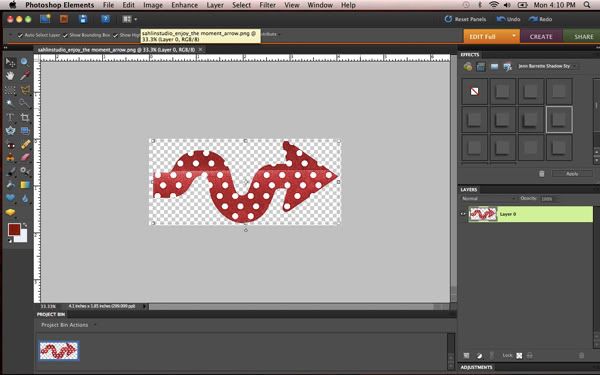 Once I have the element open, I am gonna create an Adjustment Layer. At the bottom of my layers palette there is a half grey/half white circle, click that circle. When you do, you will be given a list of different adjustment layers to create. You will want to choose the Hue/Saturation option: 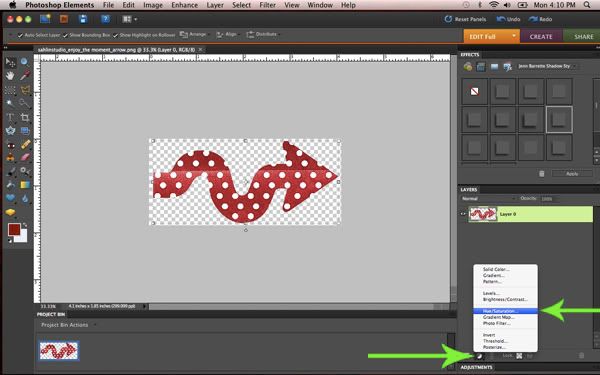 When you choose the Hue/Saturation option, it will open up this diagram: 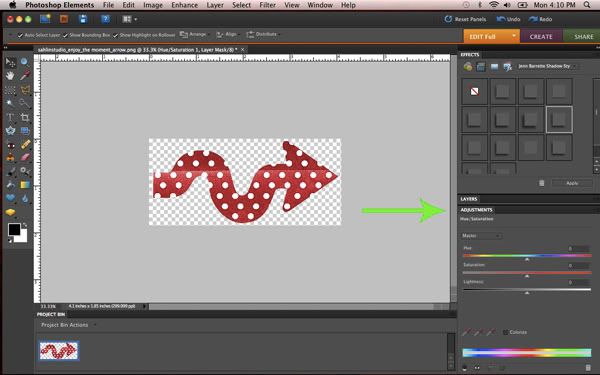 Those little sliders are what you will use to change the color of the element. Hue: Changes the color. Saturation: Changes the amount of color. Lightness: Changes the shade of the color. I wanted to make the arrow purple. So to do this, I just played with the different sliders until I found the color that I wanted. There are no set numbers when it comes to changing the color. So you just have to play around until you get a color that you like. 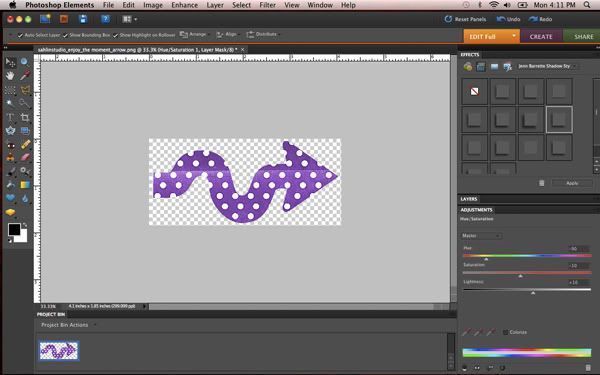 Once I get the element to the color that I want, I close the Adjustments Palette (double click the Adjustments tab) just to get it out of my way. Now you can do one of two things. If i know for a fact that my element is the color I would like it to be, then I merge (right click on adjustment layer and select "merge down") the 2 layers (the element and the adjustment layer) together. But if you are not sure if the element if the color you would like it to be, then do not merge the layers that way you can come back and adjust the color again. To do this all you gotta do is double-click on the box with the picture of little gears. It will open up those sliders for you again! For me, I found the color I would like to use, so I go ahead and merge the layers together: 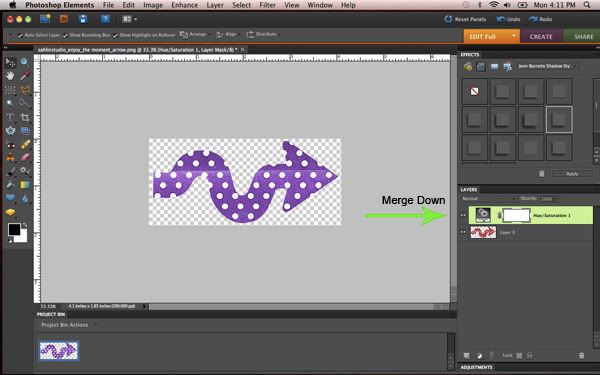 And that is it! Make sure you DO NOT save the recolored element over the original element! IF you are gonna save the recolored element, make sure you use the Save As option. Otherwise you will lose the original element, and that is no bueno. =) Here is my final element: 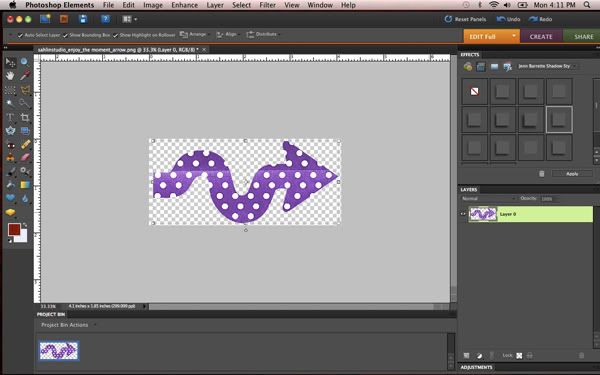


|
|||

|

|
|||
| Sponsored Links |
|
|
 Sponsored links
|
|


 Threaded Mode