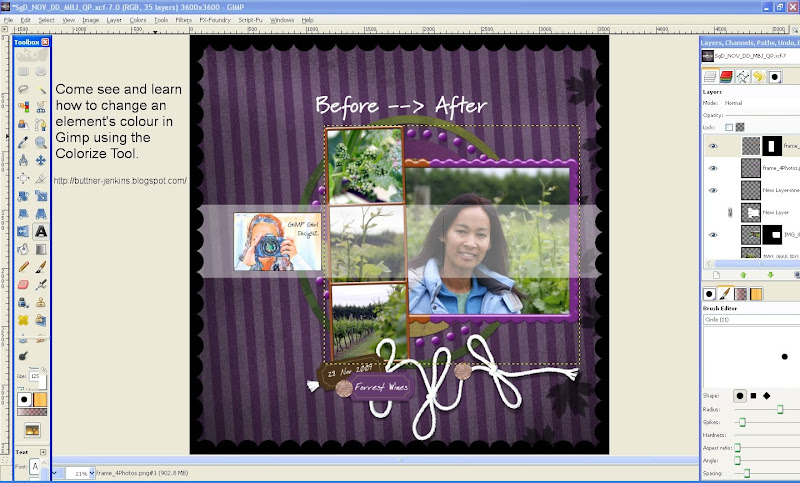
Great tutorial Tanya, here is a GIMP version for those that use it. These screenshots are straight from my blog

so if you need to see more detail visit my blog and click on screenshots to enlarge.
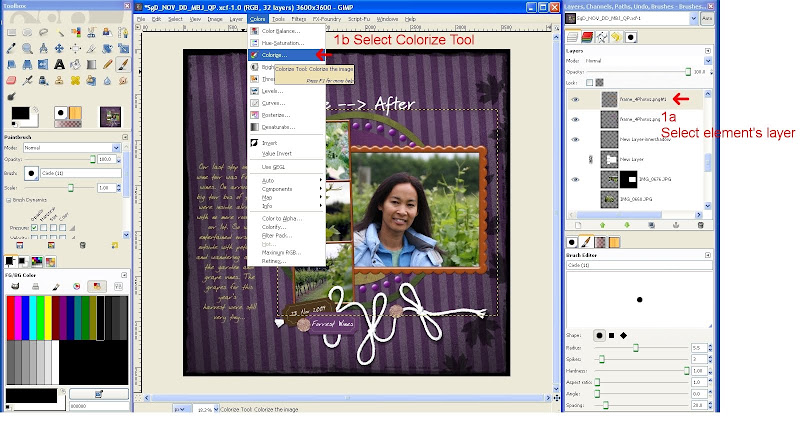
1. With element's layer selected, select the Colize Tool from the Colors menu
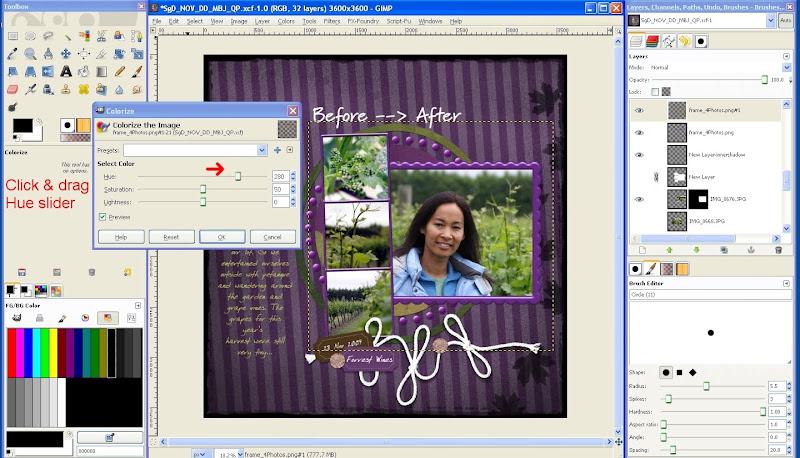
2. Click and drag the Hue slider until you have changed the element's colour to your liking.
In my example the Hue was changed to 280 to achieve a nice purple element.
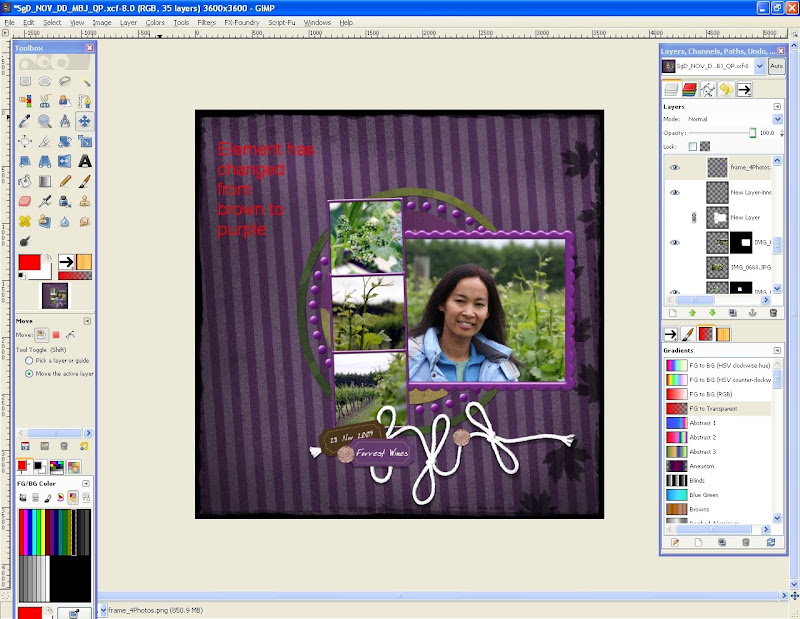
3. Click OK to make the colour change permanent.
That's all, nice & easy wasn't it!